If you ever hosted an OTB (Over the board) chess tournament then you know how much hurdels it has especialy with pairing, and at local clubs, schools, and colleges, because you have to ask for chess pairing software which often costs lot of money, but now its free and you can manage and host full tournament at your laptop without installing software and on andoird mobile app.
Lets look deeply at OTB Tournament Manager.
First you have to go to ChessMars.com, then on OTB Pairings and then OTB Tournament Manager and then you will see this screen below on desktop on any browser.
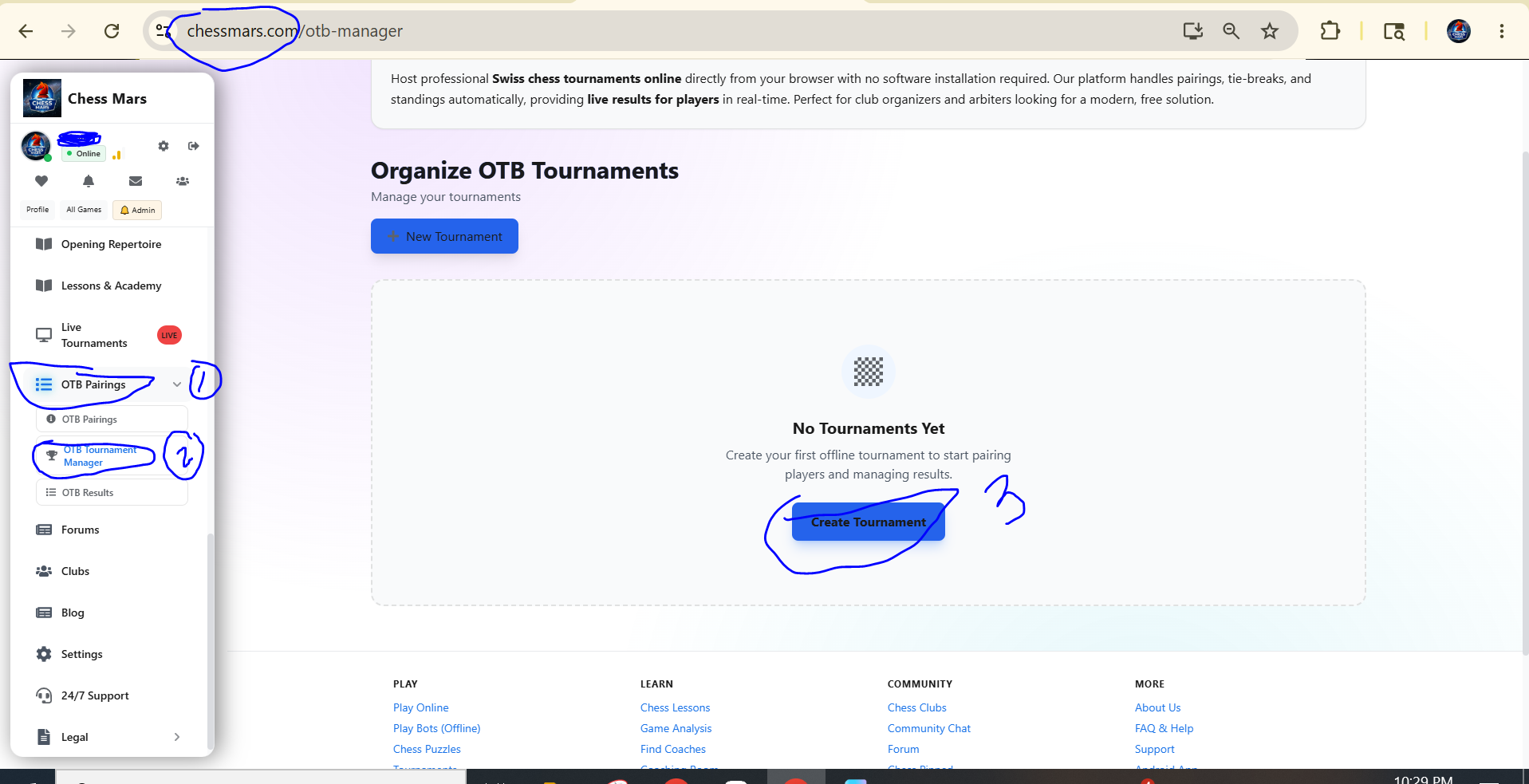
Then if you need to create a tournament by clicking on button Create Tournament, then you will see this below, Its a bit long form so I will paste here three images covering all options, first we will view the form and then I will explain.
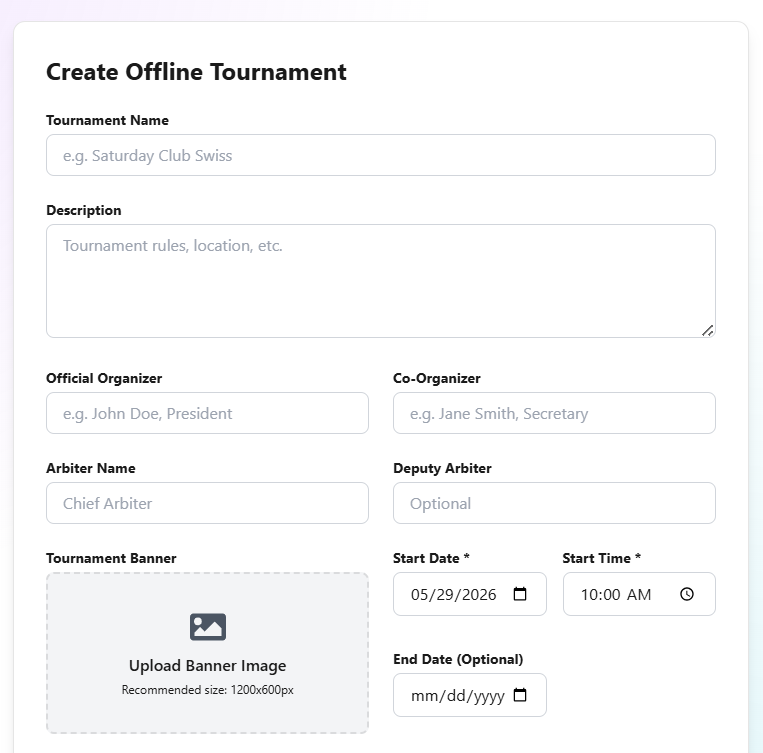
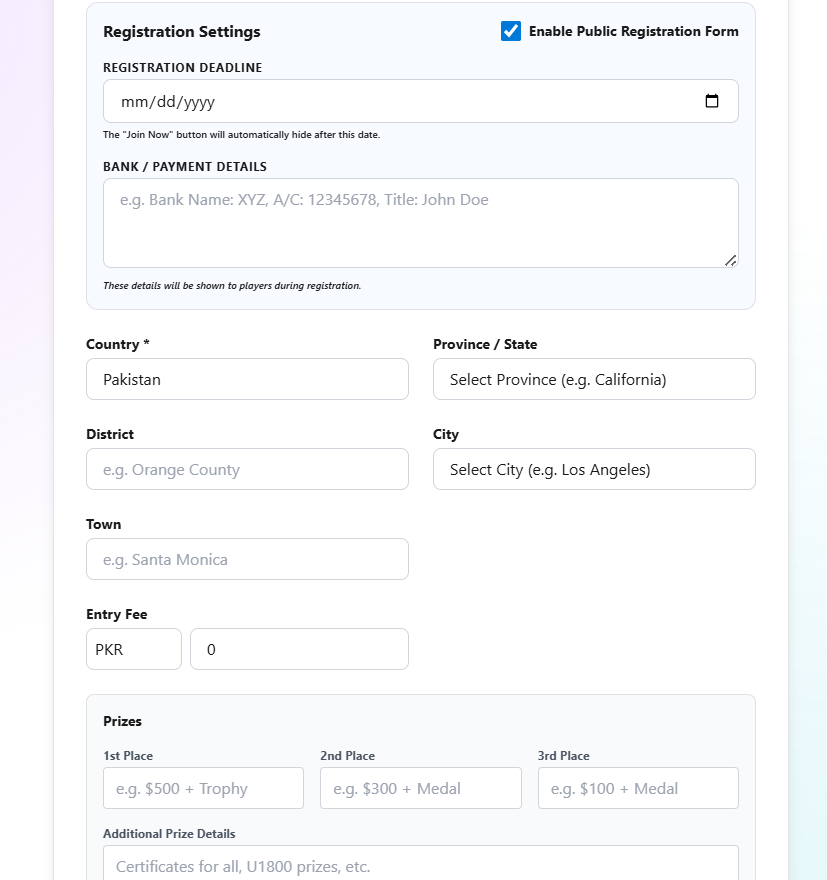
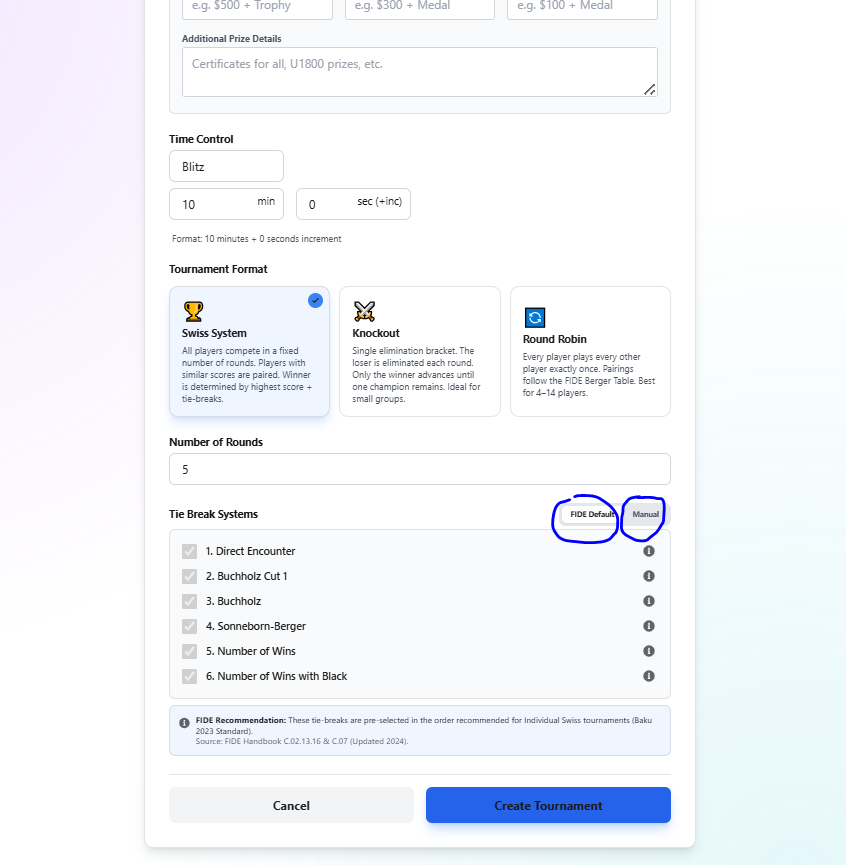
Now let me explain this form one by one.
First Image is all about tournament detail, where you will add tournament name, description which is short about section of tournament, and starting date and end date, because some time tournament run more than 24 hours and that’s why we need end date.
Second Image is about location with country, province and district and city, and there is one plus point which other OTB Tournament Manager do not have but we have that is built in Registration form, If organizer want to get player’s details before tournament he can enable registration form and he can then add players directly from registration form without entering one by one, that’s time saving option, plus organizer can also collect entry fee recipts on this form too.
Third Image is for choosing tournament type, you can host, Swiss (Round base), knockout (often held in schools, colleges) and Round Robin (for elite players, everyone will play everyone).
And below are some settings, for example if you select swiss tournament then from below you can choose default pairing setting according to fide, its about tie breaks, and you can also apply manual tie breaks, it depends on organizer and arbiter.
After creating the tournament details will be look like this, which will create result page also, so players can get real time update of rounds, entered results, and pairings and standings, here are screenshots:
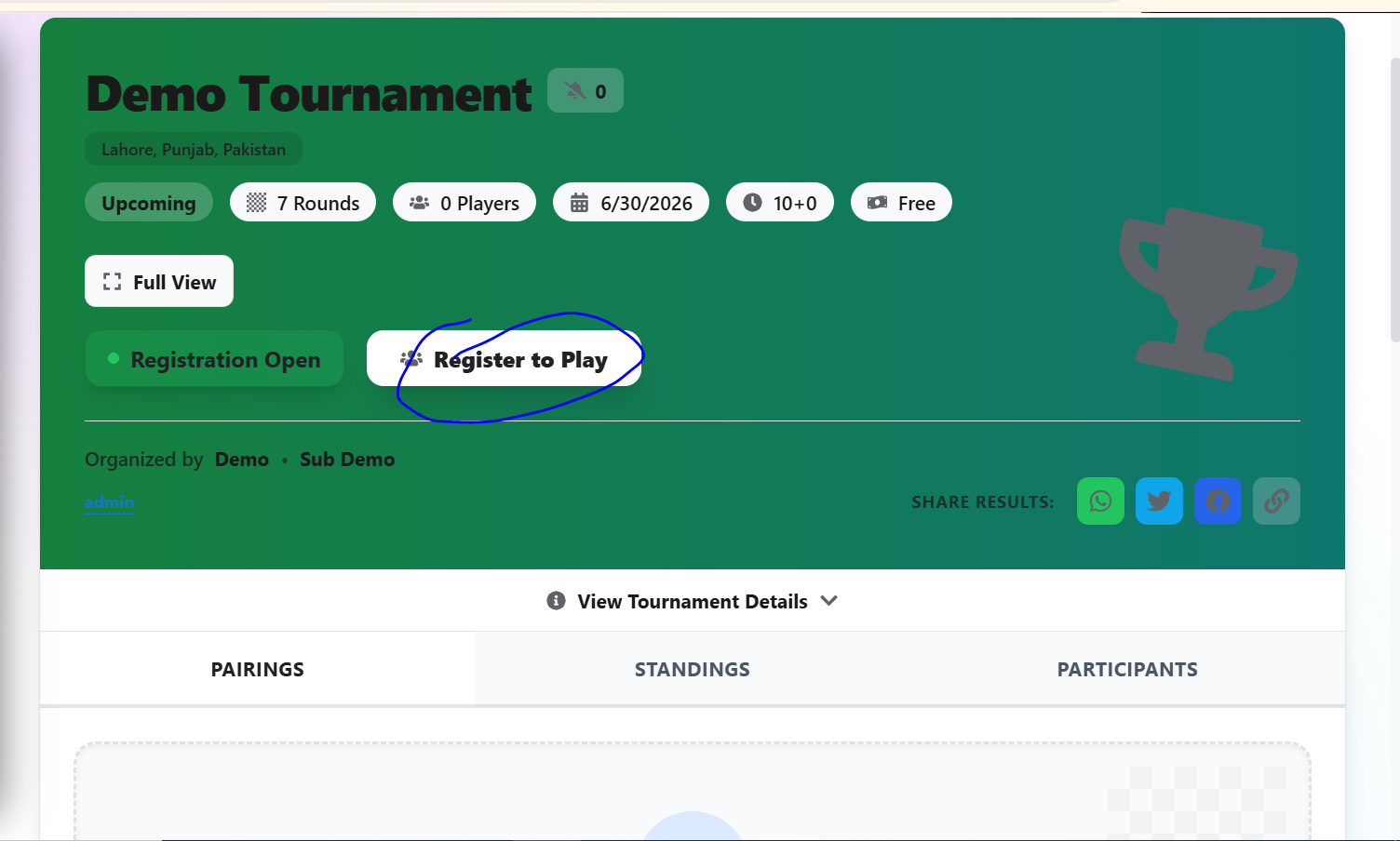
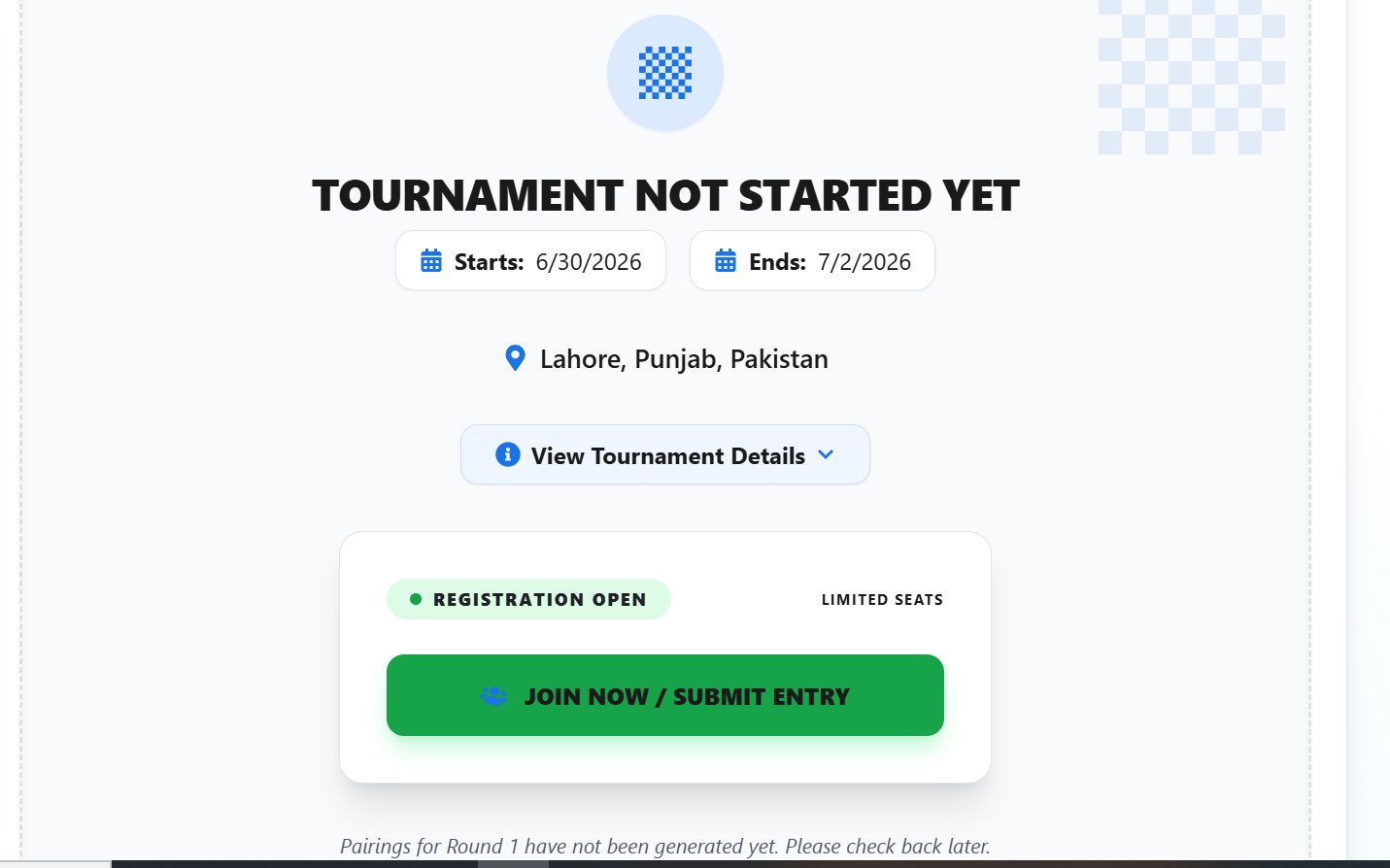
So now you can see full form in action, player will submit their entry and all submitted details will be shown in OTB Tournament Manager, from there organizer can approve players and these players will auto added in the tournament, it will save organizer time for adding every player separately.
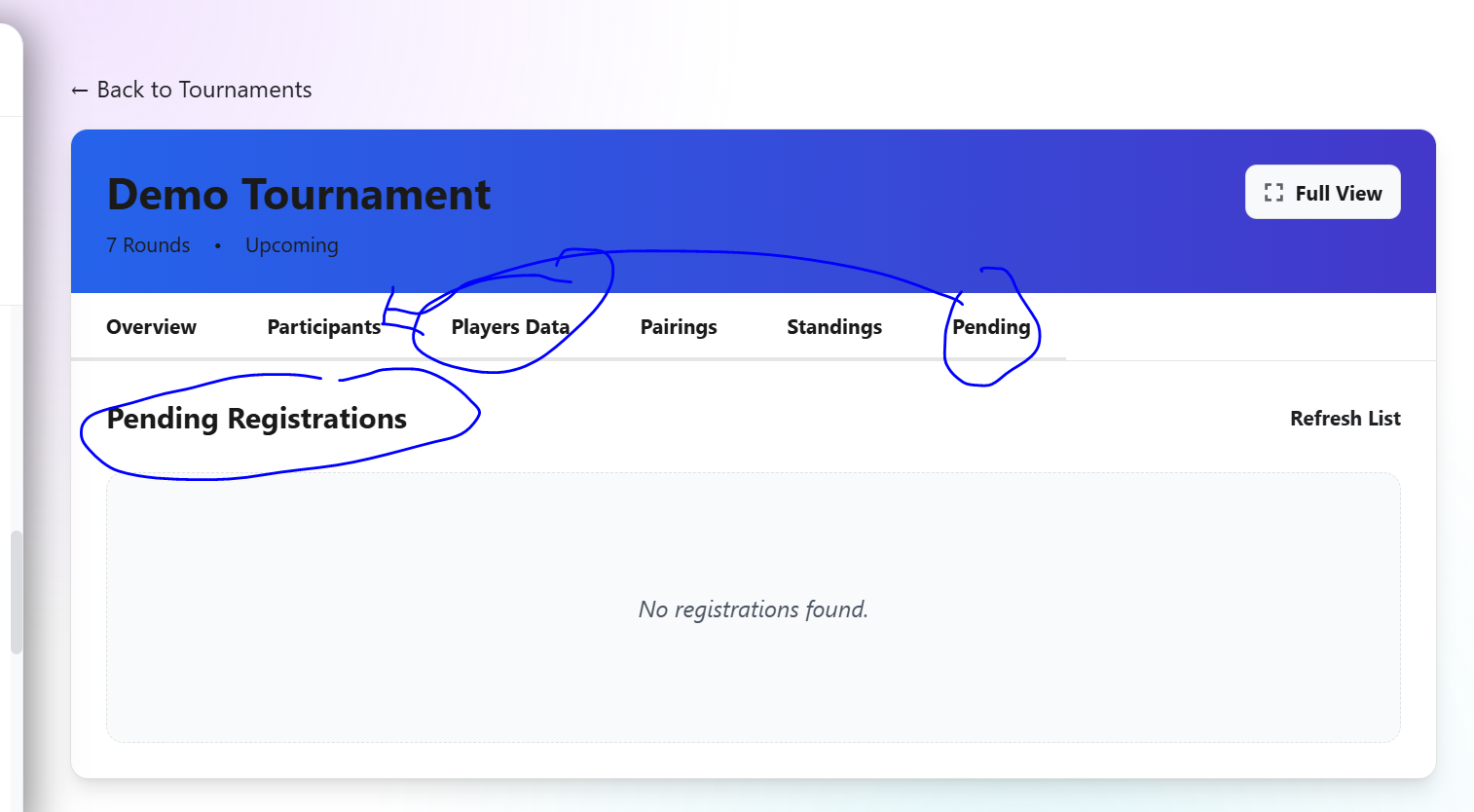
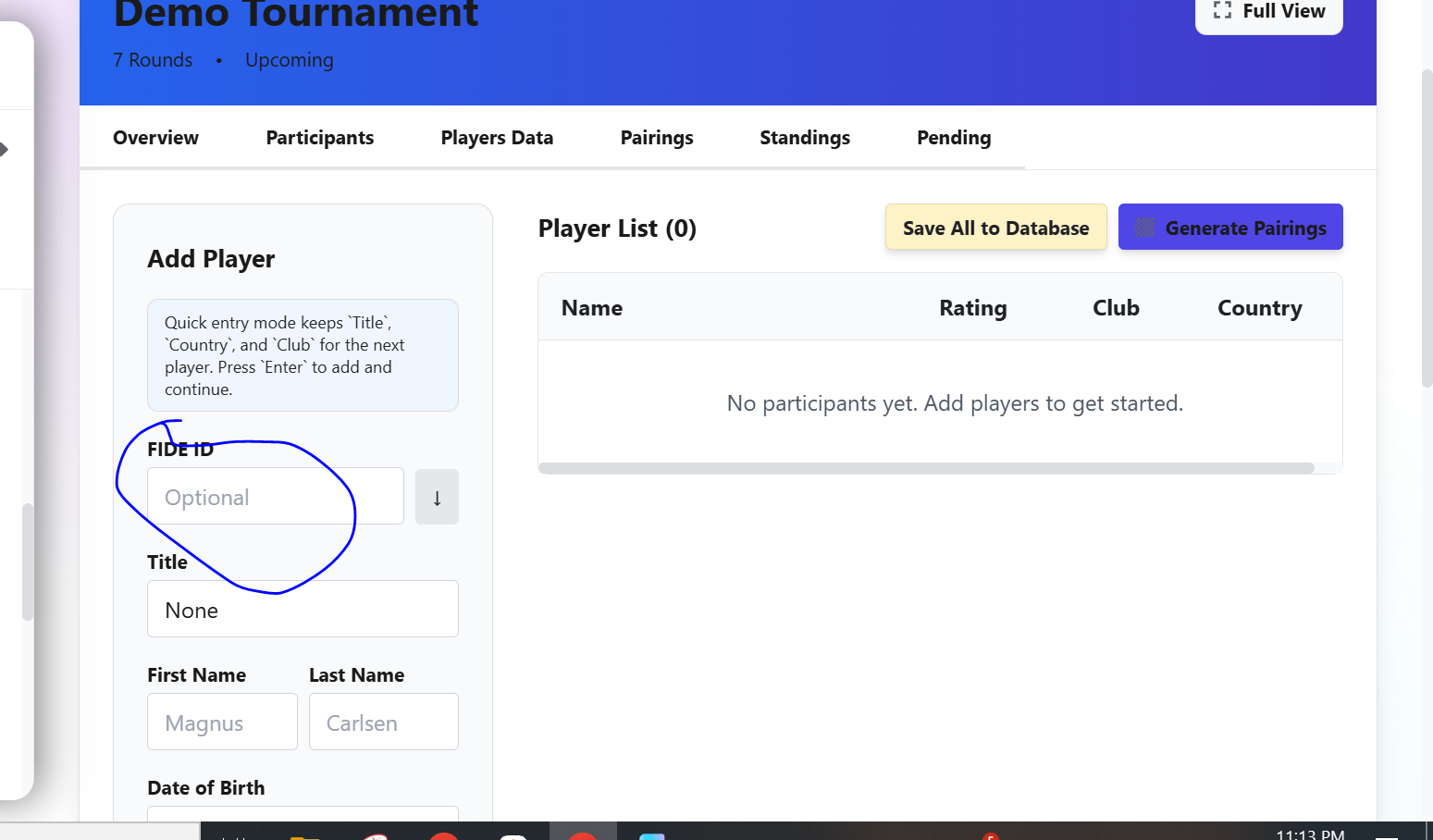
Pull Details of Players from FIDE ID
here is one of the biggest option is that you can pull players all details from fide by entering fide id. here is a screenshot:
Here is the screenshot of round 1 tournament, and this screenshot for organizer, for others it will be on the results page, right now lets look at Organizer page for entering results:
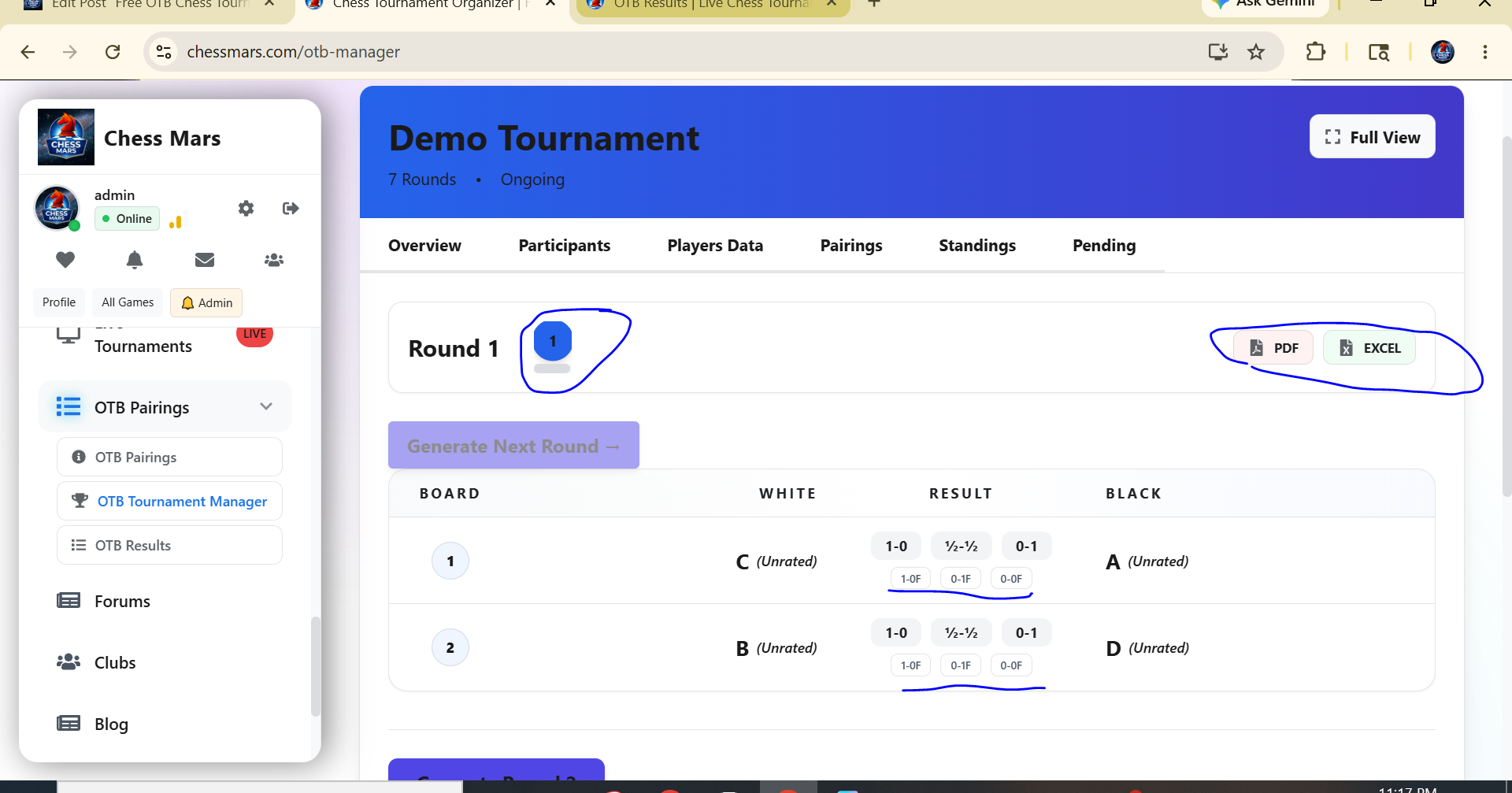
Export Results and Pairing in PDF and Excell
You can see the details, and you can also export PDF and Excell Sheets for printing the round and standing details.
So far we have discussed the tournament features for organizer, and now we will see how the result page will look like, here is a screenshot,
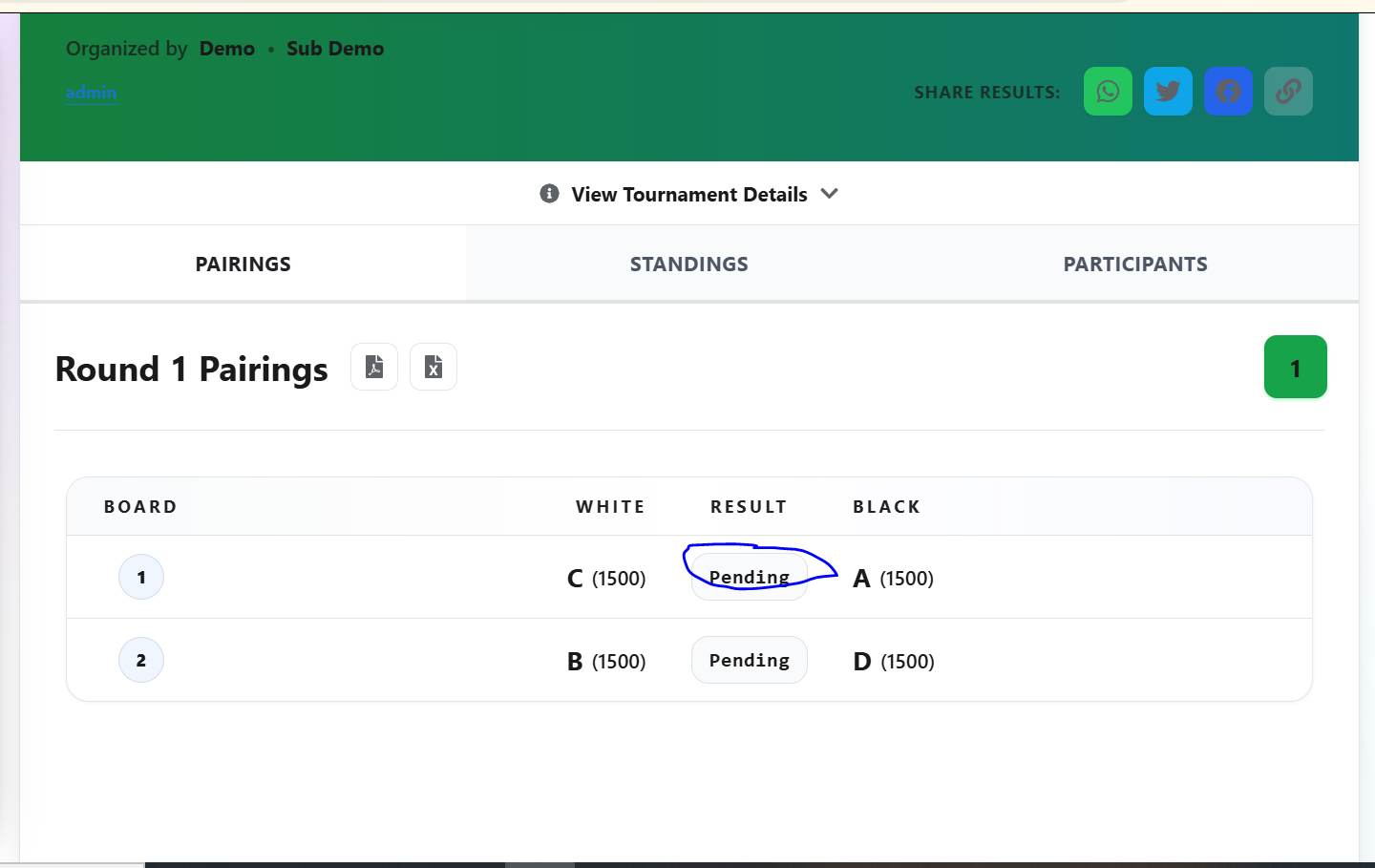 This is the result page, as you can see organizer did not put the result yet, as soon as organzier put the result it will be shown in real time.
List of Features of OTB Tournament Manager
- FIDE-Compliant Swiss System Pairings
- Round Robin Closed Tournament Brackets
- Knockout Single-Elimination Brackets
- Continuous Fast-Paced Arena Pairing
- Online Registration Forms (Chess Forms)
- Organizer Approval Queue & Roster Control
- Payment Proof Upload & Fee Verification
- FIDE Database Roster Integration
- Saved Club Player Library (for reuse in tournaments)
- CSV Spreadsheet Bulk Import
- Fischer, Bronstein, & Simple Delay Time Controls
- FIDE-Compliant Forfeits & Requested Byes
- Buchholz, Sonneborn-Berger, & Direct Encounter Tiebreaks
- Real-Time Public Mobile Standings Portal
- FIDE-Compliant TRF (Tournament Report Format) Exports
- One-Click PDF & Excel Standings Printing
- 5-Hour Post-Event Edit Lock Security
- Automated Abandoned Tournament Cleanup Scheduler
- Auto-Generated Participant Certificates
- Live Results Page on web and mobile app
- Organize pairing from Mobile App or Website without any software installation or paid services.
Links for Free OTB Tournament Manager
Web:> https://chessmars.com/otb-pairings
Android App on Google Play:> OTB Tournament Manager
Also Manage from ChessMars Google Play:> Chess Mars App (All in One)
Conclusion:
Visit and try the free OTB Tournament Manager for hosting club, school, college chess tournaments on web and mobile app without need of installing paid software.
